Scripts
Click the name of the script to expand the section to display details about the script.
configure-rf.sh
configure-rf.sh
-
Used for the initial setup and configuration of cloudflared-remotefalcon.
-
Guides through setting the required and some optional .env variables.
-
Can be re-run to view or update the variables or to run the container update or health check scripts.
-
Automatically downloads other helper scripts if they are missing.
-
Automatically creates the
remotefalconandremotefalcon-backupsdirectories. -
Automatically downloads the compose.yaml, .env, and default.conf files if they are missing.
-
Can be run interactively(defualt) or non-interactively for a more automated setup.
-
Prompts to update helper scripts unless run non-interactively with --no-updates
./configure-rf.sh
./configure-rf.sh -y|--non-interactive      Run non-interactively (no prompts)"
./configure-rf.sh --update-all              Update scripts, files, and workflows"
./configure-rf.sh --update-scripts          Update only scripts"
./configure-rf.sh --update-files            Update only compose.yaml, .env, and default.conf files"
./configure-rf.sh --update-workflows        Update only image builder GitHub workflows"
./configure-rf.sh --no-updates              Skip all updates(except container updates)"
./configure-rf.sh --set KEY=VALUE           Set configuration override for config questions(can be used multiple times)"
./configure-rf.sh -h, --help                Shows usage help "
./configure-rf.sh -y \
--set DOMAIN=YOURDOMAIN.COM \
--set CF_API_TOKEN=REPLACE_WITH_YOUR_CF_API_TOKEN \
--set GITHUB_PAT=REPLACE_WITH_YOUR_GITHUB_PAT
./configure-rf.sh -y \
--set DOMAIN=YOURDOMAIN.COM \
--set CF_API_TOKEN=REPLACE_WITH_YOUR_CF_API_TOKEN
./configure-rf.sh -y --no-updates \
--set AUTO_VALIDATE_EMAIL=false \
--set SWAP_CP=true \
--set VIEWER_PAGE_SUBDOMAIN=yourviewerpage

update_containers.sh
update_containers.sh
-
Checks for updates and updates non-RF containers to their latest available release.
-
Checks for updates and updates Remote Falcon containers to the latest available commit on the Remote Falcon Github.
-
The compose.yaml build context hash is updated to the latest commit for the Remote Falcon containers.
-
The compose.yaml container image tag is updated to the latest release.
-
A backup of the compose.yaml is created when any of the containers are updated.
-
The image tag for the Remote Falcon container is updated in the compose.yaml to the short-hash:
-
Accepts three arguments:
-
[all|mongo|versitygw|nginx|cloudflared|plugins-api|control-panel|viewer|ui|external-api]container_name: You can specify an individual container or all. If left blank with no other arguments it will check all containers in interactive mode.
-
[dry-run|auto-apply|interactive]:-
dry-run: Displays if any updates are available or if up to date. -
auto-apply: Automatically update all RF containers if any updates are found. -
interactive/no argument: Display if update is available and prompt for confirmation before updating each container.
-
-
[health]- Add
healthafter the first two arguments to automatically run the health_check script.
- Add
-
./update_containers.sh [all|mongo|versitygw|nginx|cloudflared|plugins-api|control-panel|viewer|ui|external-api] [dry-run|auto-apply|interactive] [health]
./update_containers.sh
./update_containers.sh all dry-run health
./update_containers.sh all auto-apply

health_check.sh
health_check.sh
-
Performs a 'health check' of various things and displays any issues that are found.
-
Checks if containers are running.
-
Checks Remote Falcon endpoints.
-
Checks if the domain is not the default.
-
Checks if the .env file exists.
-
Checks if the Cloudflare Origin certificate and key exist and if they match.
-
Checks NGINX configuration and tests it.
-
Checks various Versity Gateway configuration details for Image Hosting.
-
Checks Mongo to search for any shows that are configured and provides their URL.
-
Checks if SWAP_CP is enabled and displays the Control Panel URL.
-
Checks for any known issues by checking container logs directly.

sync_repo_secrets.sh
sync_repo_secrets.sh
- If REPO and GITHUB_PAT are configured in the .env file this script will sync the build arguments required to build images with GitHub Actions.

run_workflow.sh
run_workflow.sh
-
If REPO and GITHUB_PAT are configured in the .env file this script will run a GitHub Actions workflow to build new Remote Falcon Images.
-
It will call the sync_repo_secrets script to ensure build arguments are synced prior to building new images.
-
If building all images, expect the workflow to run for about 15 minutes.
# Usage:./run_workflow.sh [ container | container=sha | container=sha container=sha ...]
./run_workflow.sh # Runs the build-all.yml GitHub Actions workflow to build all containers to the latest available commit.
./run_workflow.sh [container] # Runs the build-container.yml GitHub Actions workflow to build an individual container to the latest available commit on 'main'.
./run_workflow.sh [container=sha] # Runs the build-container.yml GitHub Actions workflow to build an individual container to a specific commit SHA.
./run_workflow.sh plugins-api=69c0c53 control-panel=671bbed viewer=060011d ui=245c529 external-api=f7e09fe # Runs the build-all.yml GitHub Actions workflow to build all containers to the specified commit SHAs.

generate_jwt.sh
generate_jwt.sh
-
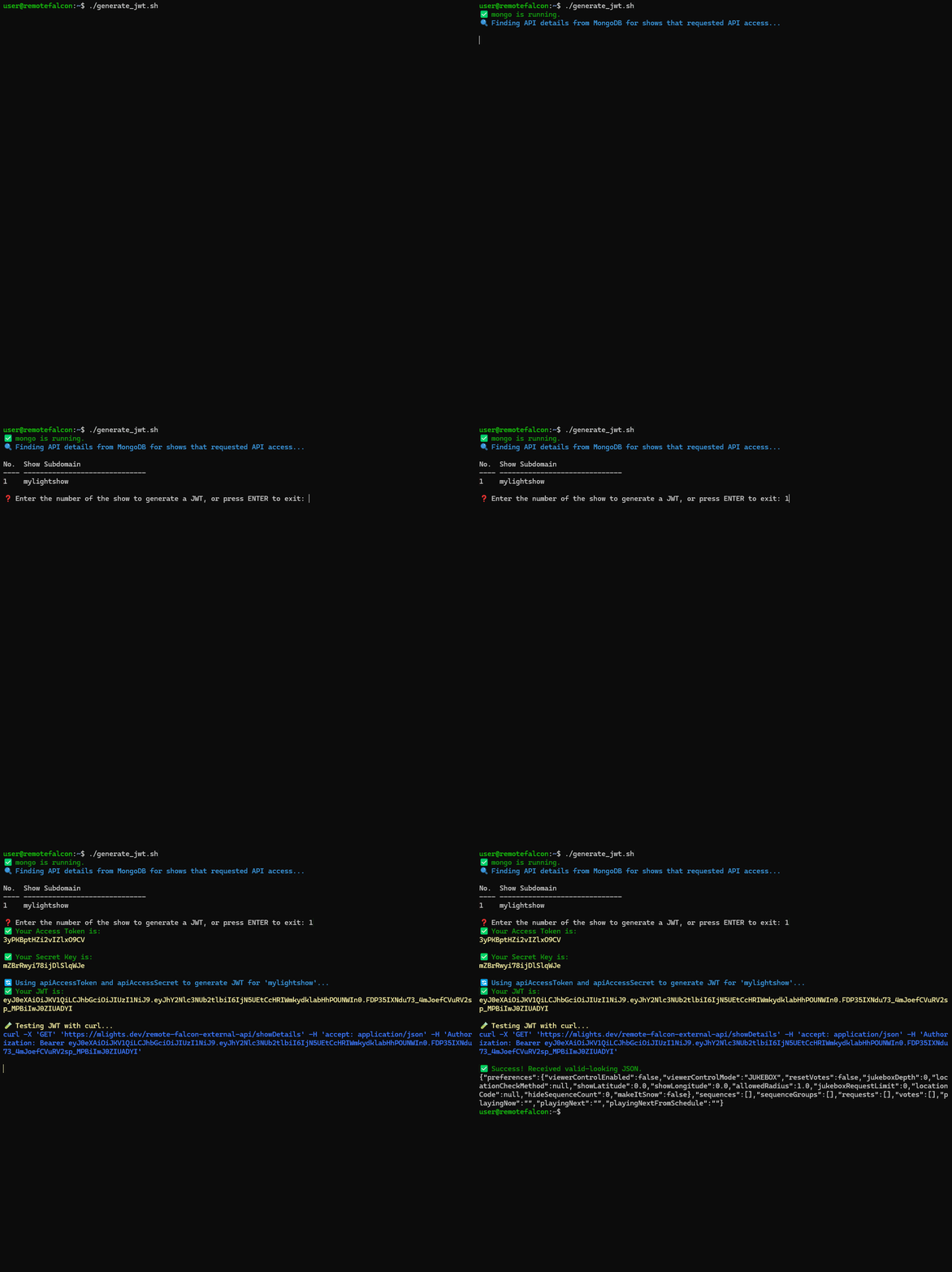
This is to be able to make use of the External API.
-
Assists with getting your API access token and secret key from your Remote Falcon show in the MongoDB database without having Sendgrid configured for email.
-
Then the script generates a JWT for you to use.
  curl -O https://raw.githubusercontent.com/Ne0n09/cloudflared-remotefalcon/refs/heads/main/generate_jwt.sh; \
  chmod +x generate_jwt.sh
make_admin.sh
make_admin.sh
-
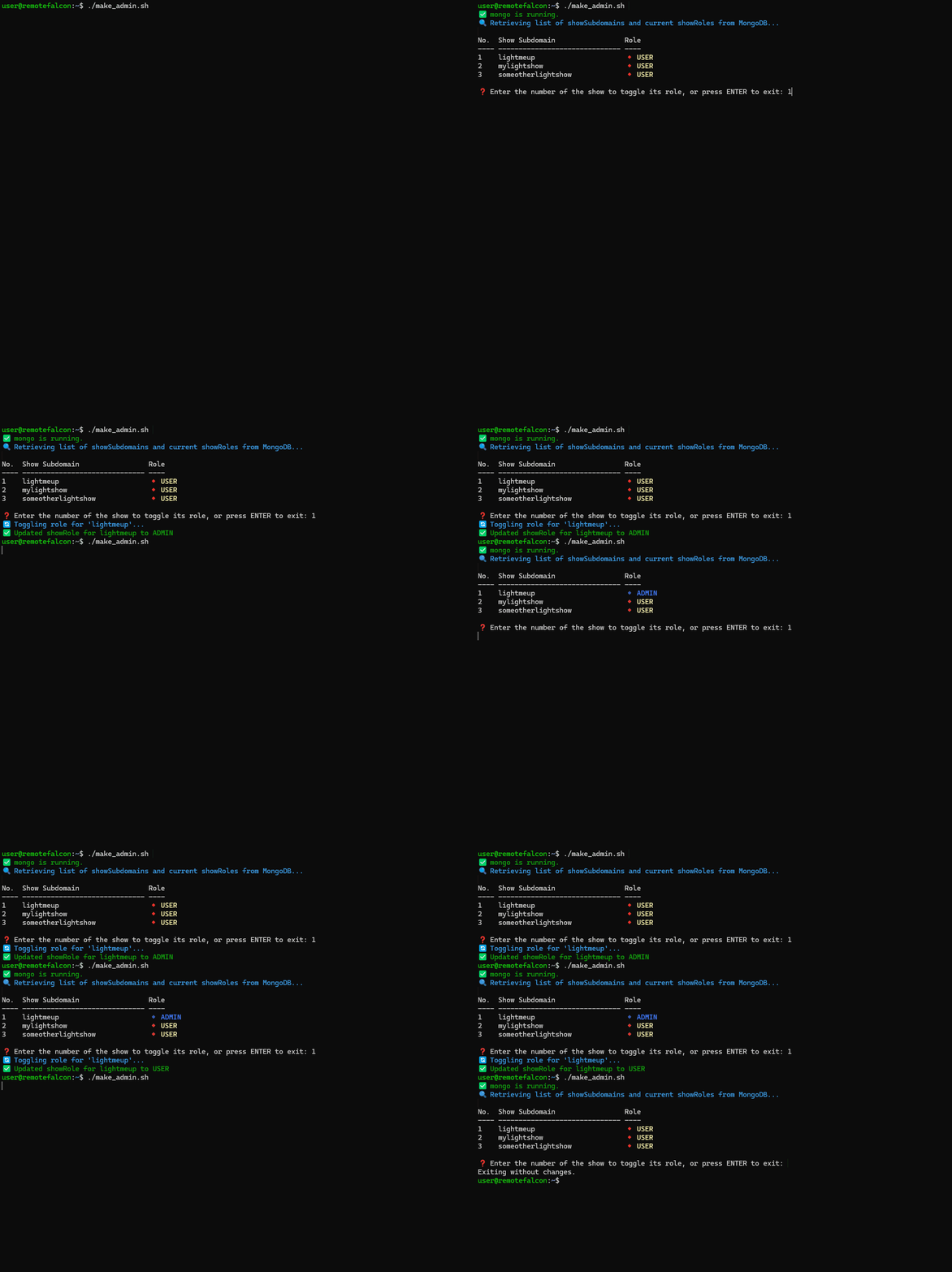
This script will display shows that have admin access and allow you to toggle admin access when the show subdomain is passed as an argument.
-
Run the script with no arguments to display currently configured showRole(USER/ADMIN).
-
This basically lets you see and edit MongoDB information from within Remote Falcon.
  curl -O https://raw.githubusercontent.com/Ne0n09/cloudflared-remotefalcon/refs/heads/main/make_admin.sh; \
  chmod +x make_admin.sh
revert.sh
revert.sh
-
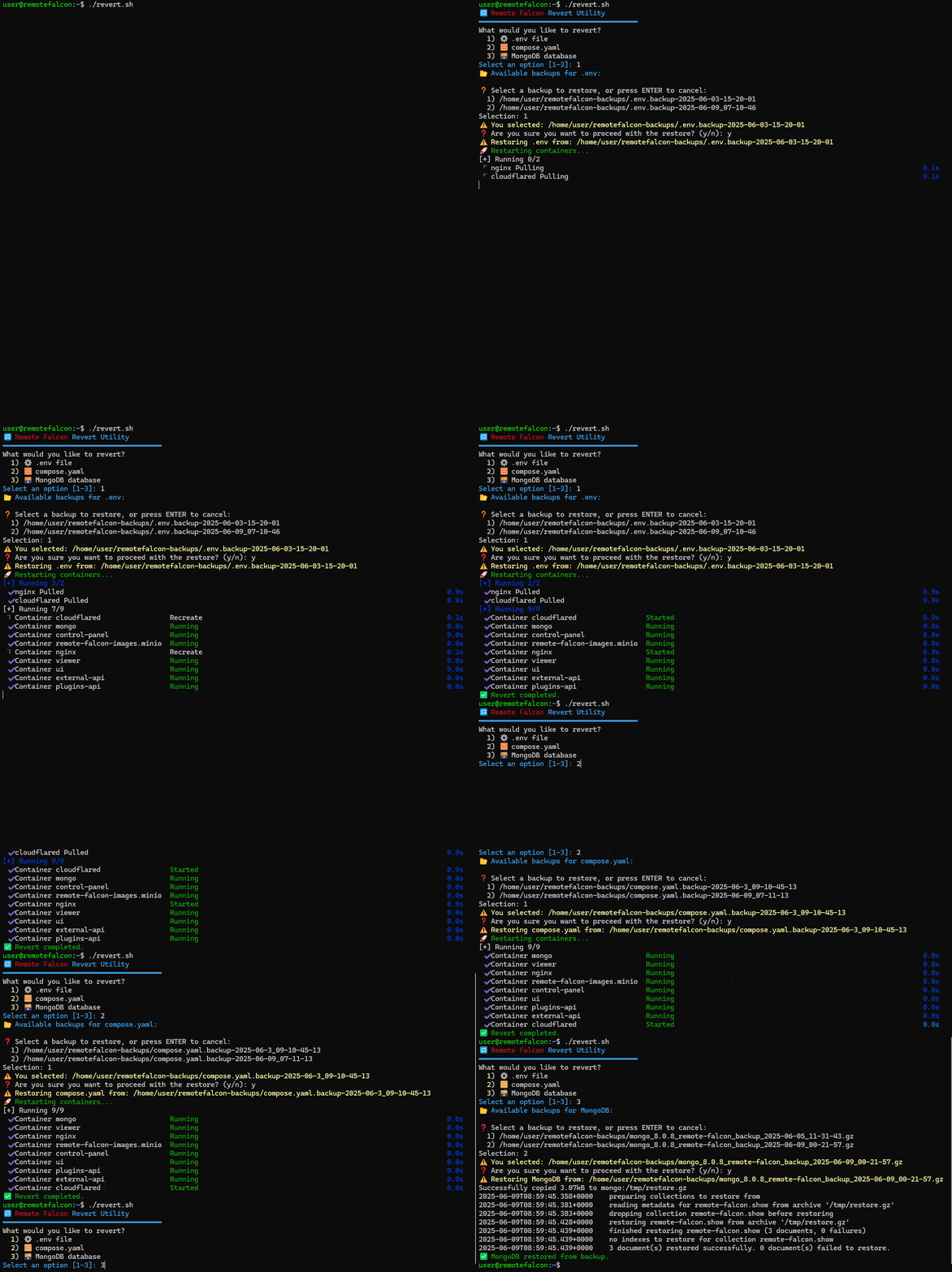
This script will allow you to revert to a previous backup of the .env, compose.yaml, or MongoDB.
-
The script looks for backups in the 'remotefalcon-backups' directory.
  curl -O https://raw.githubusercontent.com/Ne0n09/cloudflared-remotefalcon/refs/heads/main/revert.sh; \
  chmod +x revert.sh
versitygw_init.sh
versitygw_init.sh
-
This script will configure Versity Gateway. Versity Gateway is an object storage server.
-
The script is called when 'configure-rf.sh' is run and if certain default values are found in the .env file for a hands-off setup and configuration.
-
The versitygw container is configured for local direct access to the control-panel container.
-
This lets you use the Image Hosting tab in the Control Panel which allows you to self host your viewer page images.
-
The script can be run again manually with no ill-effects to ensure Versity Gateway is configured properly.
-
The script is automatically downloaded by configure-rf.
shared_functions.sh
shared_functions.sh
- This is a helper script for functions and variables that are re-used across the other scripts.
setup_cloudflare.sh
setup_cloudflare.sh
-
This is a script to automatically set up Cloudflare domain, certificate, SSL/TLS, tunnel, and DNS settings.
-
This script is intended for new installations, but can be re-run to ensure settings are correct, create new certificates, and to delete and re-create the tunnel and tunnel settings.
-
The script will ask you for your Cloudflare API token.
-
The Cloudflare API token is not stored.
-
The script can be run non-interactively or arguments passed: